Passport Renewal Photo [+Ready for the Online Upload]

Renewing online at travel.state.gov means uploading a digital photo that meets the exact file rules. Take it on your phone, and we deliver the JPEG the upload tool accepts, checked against every rule before you pay.

Every rule checked before you pay. Accepted or double your money back with the Acceptance guarantee.

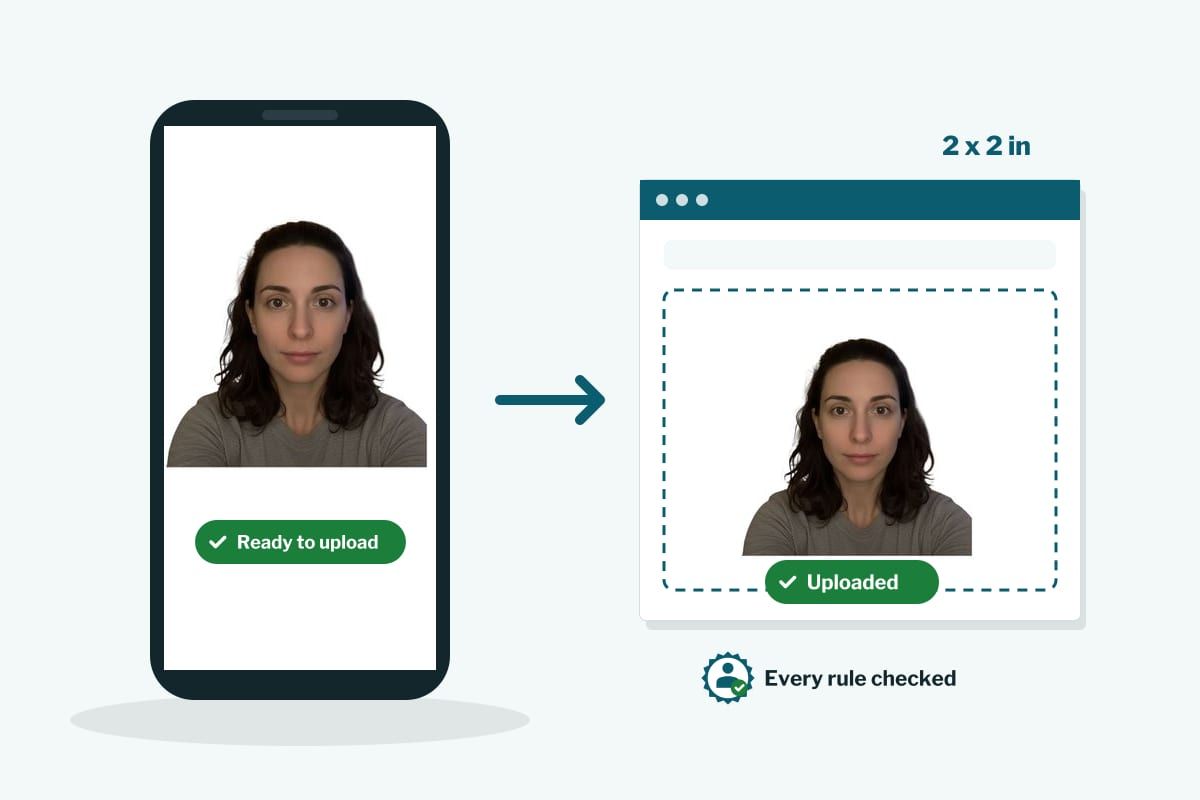
The finished passport photo on a phone, ready to upload, and uploaded in the online renewal form

The one file the online renewal needs

  • Made for the upload

    A square JPEG, 600 to 1200 pixels a side, between 54 KB and 10 MB. Those are the State Department's limits and our file lands inside them every time.

  • Guided, then checked

    The camera guides you while you take it. Then the software crops, sizes and checks the photo against every rule, and shows you each result before you pay. A rejected upload sends the whole application back, so nothing that fails a check can be bought.

  • Accepted or double your money back

    With the Acceptance guarantee at checkout, a State Department rejection means twice your money back.

How it works

  1. Take or upload a photo

    Have someone take it on your phone from about four feet, or use the timer. The camera guides you on distance, tilt and light. Or upload a recent photo you already have.

  2. The AI does the tune up

    Crop to square, head sized to 1 to 1 3/8 inches, plain white background, then the initial check: face recognized, one face only, minimum size, correct proportions, background can be replaced, no red eyes.

  3. Pay, download, upload

    Pay once and the JPEG is in your inbox within a minute, and on your order page. Then upload it at travel.state.gov.

Why PassportPhotos AI

  • Independent

    We make the photo. The State Department handles your renewal, and its fees are separate from ours.

  • The team behind PassportPhotos.com since 2020

    Six years of passport photos, now built around your phone.

  • Real support

    Stuck on the upload step? Email hello@passportphotos.ai or call 516-231-9449 and a person answers.

  • Acceptance guarantee

    Add it at checkout and a rejection means double your money back, to the card you used.

Three tips before you take the photo

  • No selfies

    The State Department's own renewal guidance says to have someone else take the photo. Arm's length distorts the face and fails the head size check.

  • Recent and unedited

    Taken in the last 6 months, no filters, nothing changed. The upload tool lets you crop, and so do we; nothing else is allowed.

  • Plain wall, good light

    Face a window, flash off, a white or off white wall behind you. Glasses off, nothing on your head, mouth closed.

Technical details

Document
US passport, online renewal
Size
Square, 2 x 2 in equivalent
Resolution
600 x 600 to 1200 x 1200 px, JPEG, 54 KB to 10 MB
Online submission
Yes, this is the file for the online renewal upload
Printable
Yes, a 4 x 6 in sheet with two 2 x 2 photos is included
Background
White or off white, plain
Head height
1 to 1 3/8 in (25 to 35 mm), chin to top of head
Eye line
1 1/8 to 1 3/8 in (28 to 35 mm) from the bottom of the photo
Taken within
The last 6 months
Last updated
2026-09-14
Written by
The PassportPhotos AI team
Reviewed by
Asaf Jacobi, founder, PassportPhotos.com since 2020

Every rule checked before every delivery.

Can you renew online?

The State Department's online renewal is for adults renewing a standard passport, and the eligibility list on travel.state.gov is the one that counts. The main points: you are 25 or older, your most recent passport was valid for 10 years and was issued between 9 and 15 years ago, it is not lost, stolen or damaged, and you are in the United States. If you need expedited service, or your name has changed and you cannot document it, you renew by mail instead. Either way you need the same photo; by mail it is a print, online it is this file.

The file rules, in plain words

  • Format. JPEG only. No PNG, no HEIC, no PDF. Our download is a JPEG.
  • Shape and size. Square, at least 600 x 600 pixels and no more than 1200 x 1200. Between 54 KB and 10 MB.
  • Original. A photo taken with a camera or phone, not a scan of a printed photo, not a photo of a photo.
  • Content. The same rules as a printed passport photo: head 1 to 1 3/8 inches in the 2 x 2 frame, plain white or off white background, color, taken in the last 6 months, neutral expression or natural smile, no glasses, no head covering without a signed statement, nothing altered.

The upload tool lets you crop and position the photo. Ours arrives already cropped, so there is nothing to adjust.

Prints too, if you need them

Every order includes the 4 x 6 sheet with two 2 x 2 photos, so if you end up renewing by mail you print it on photo paper or choose the digital plus prints option and we mail two prints free, 2 to 3 business days by USPS. You can also print the sheet yourself at CVS, Walgreens or Walmart.*

*Listed stores are not affiliated with our service.

What it costs

The digital photo is $16.99. Digital plus two printed photos shipped free is $19.99. At checkout you can add the Acceptance guarantee for $6.99 and photo retouching for $4.99. Tax included, one payment, no account.

Sources: Upload a Digital Photo for Online Renewal, travel.state.gov, Renew Online, travel.state.gov and U.S. Passport Photos, travel.state.gov.

Safe with PassportPhotos AI

Photos taken with PassportPhotos AI comply with standards recognized by the US Department of State.

  • Every rule checked

    The software checks your photo against every published rule for your document before you pay.

  • 200% money back guarantee

    Double your payment back if your photo is rejected, with the Acceptance guarantee.

  • Image protection

    Deleted 30 days after delivery, never used to train AI.

Secure checkout by Shopify.Read the full guarantee

Choose your document

FAQ

  • Which file do I upload for the online renewal?
    The JPEG we email you within a minute of paying. It is square, 600 to 1200 pixels a side and between 54 KB and 10 MB, which is exactly what the State Department's upload accepts. The 4 x 6 sheet is for printing only.
  • Can I use a photo from my last passport?
    No. The photo has to be taken in the last 6 months, and a scan of a printed photo is rejected on its own. Take a new one; it takes a few minutes.
  • Can I take a selfie for the renewal?
    The State Department says to have someone else take it. A selfie at arm's length makes the head too large and the face wider than it is, and it fails the head size check. Use the timer or ask someone.
  • Do I need prints if I renew online?
    No. Online renewal is digital only. The print sheet is included anyway in case you switch to renewing by mail.
  • How long until I can upload?
    Right away. The file is in your inbox within a minute of paying, and on your order page.
  • What if the upload tool rejects the file?
    It should not, because our file is built to its limits. If it does, email us the screen message and we fix it free. If the State Department later rejects the photo itself and you bought the Acceptance guarantee, you get double your money back.
  • Do you change how I look?
    No. Crop, size and background only. Retouching, if you add it, removes temporary blemishes and dust and leaves your features alone. Altered photos are rejected, so we do not alter them.
  • Is my photo kept?
    Deleted 30 days after delivery. Never used to train AI.